

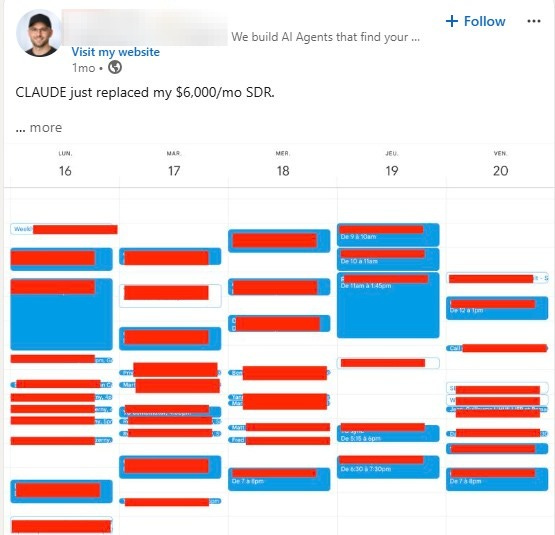
Claude is not a GTM silver bullet.
Social feeds are cluttered with claims that switching on Claude is a magic button that automatically sets meetings and generates millions in pipeline every week.
Claude is great, but that premise is ridiculous. And at least in my experience, its output is only marginally better than other LLMs.
Where it actually stands out is how seamlessly it plugs into your existing systems. If implemented well, it removes a significant amount of time spent on drudgery and makes your workflows far more efficient.
When that work disappears, you get your time back to focus on the parts that actually move deals forward. Conversations. Running more experiments. Building stronger narratives.
I worry people get turned off because the promises are an overreach. The real value is more subtle, which also makes it less exciting to talk about.
My view, and this applies to any LLM, is that if you focus on testing it across a few parts of your workflow each day, instead of expecting immediate results, you end up with much better outcomes over time.
So I wanted to outline a simple before and after that shows where I’ve actually found Claude to be useful.
For context, my company sells into the private equity vertical. We regularly run campaigns where we go to a PE firm’s website, scrape their portfolio companies, and build prospect lists with messaging tied to relevant portcos we’re already working with.
What this used to look like (8–12 hours)
In 2022, this was the workflow:
Find portfolio companies manually
Go to the website, find the portfolio page, copying each company’s name into Excel. Here is Vista Equity’s portfolio page (brutal).
Time: 1–2 hoursResearch and tier companies
Go to each portco’s website, add notes about the value prop (in my own words), decide what matters, tier accounts (basically a finger in the air exercise) and then prioritize what companies to go after.
Time: 2–3 hoursClean and structure the data
Make it uploadable to LinkedIn Sales Navigator, needed to Google how best to optimize formatting for this.
Time: ~20 minutesFind contacts in each company
Sales Navigator, company by company, role by role. Save to a list. By far the worst part.
Time: 3–4 hoursBuild lists + prep for outreach
Export the list to a contact info scraper (Seamless, LeadIQ), clean again, organize in a sales execution platform like Outreach.
Time: ~1 hourWrite messaging for that portfolio
No real way to automate this, and at this point I’d be so burnt out that my “personalization” was half-assed at best.
Time: 1–2 hours
All in, you’re looking at 8–12 hours before a single email or call is made.
What this looks like now (30–60 minutes)
Now the workflow starts with Claude (see image for exact convo I had).
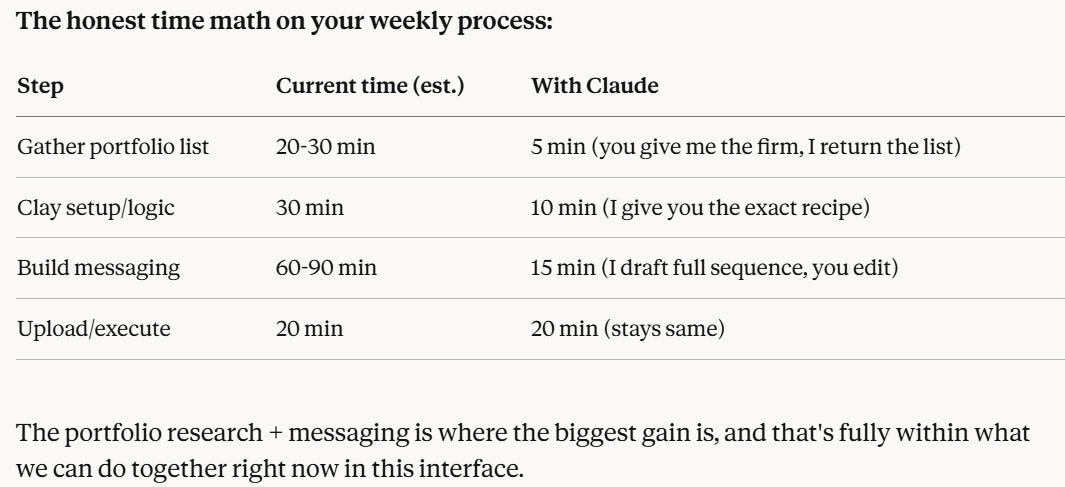
Scrape portfolio + return CSV
One prompt asking Claude to go to Vista’s website, scrape the companies, and format the output to be optimized for Clay
Time: ~5 minutesStructure for Clay + define enrichment
Ask Claude what instructions to provide Clay’s copilot (Sculptor) to find the target contacts at each account (it knows my ICP).
Time: 5–10 minutesUpload to Clay + run enrichment
Copy/paste the prompt you were provided into Clay’s copilot and tell it to run the enrichments. In a few minutes I have all of the executives emails, numbers, LinkedIn profiles, etc.
Time: 10–20 minutesGenerate first-pass messaging
Claude drafts a concise, tailored set of messages using what it knows about our work with the portfolio (has the context because it connects with my systems), and/or other valuable tidbits it finds in it’s web research. Not a magical message but a hell of a lot better than what I can come up w/ after 4 hours of list-building.
Time: 10–15 minutesQuick refinement + launch
Tighten messaging, QA list, push to Lemlist (Sales Execution platform) to launch
Time: 10–15 minutes
All in, 30 minutes to an hour. I can now run 2-3 of these per week. Before I’d have to bucket my time over the course of several weeks to launch only one.
Conversion isn’t much better, and it’s getting worse as inboxes get more saturated. Ironically, that’s happening because these tools are making it so easy to send volume.
There’s still opportunity here, however, and it’s worth doing as a complement to higher-converting channels. But only if you minimize the time and effort, so the work actually produces a positive ROI.
For the skeptical…
The posts claiming you can go from zero to 100 by clicking a magic button are mostly just engagement bait. And if you engage, they usually try to sell you something.
It’s one thing if this is just my algorithm, but I do think these exaggerated claims are keeping people on the sidelines.
Either they don’t try at all, or they try it once, don’t see immediate results, and assume it doesn’t work.
But if they take the time to learn how to actually incorporate it into their workflow, and focus on improving process efficiency rather than expecting immediate business outcomes, they’ll start to see real value.
For anyone feeling overwhelmed, start small. Find one thing in your daily workflow that’s genuinely annoying, or something you suspect AI could eliminate entirely, and spend 30 minutes to an hour trying to automate it.
It will take more time upfront as you experiment and figure out what’s actually possible. But once you start seeing what works for you and what doesn’t, it becomes very hard to go back to doing things the manual, more labor-intensive way.